
Instant Bill & Coin Breakdown
Enter piece counts per denomination instead of typing repetitive multiplication. Fix one row anytime without starting over.
Built for retail cashiers, shop owners, restaurants, and daily cash audits. Separate bills and coins automatically, verify POS expected sales, and share clean shift receipts to LINE, WhatsApp, or thermal printers.
Every detail is designed to eliminate miscounts at the end of a busy shift.
Enter piece counts per denomination instead of typing repetitive multiplication. Fix one row anytime without starting over.
Subtract your opening drawer float, account for mid-shift safe drops, spot Over/Short discrepancies immediately, and get an exact bank deposit list.
Save unlimited counts with timestamps or register names, pin templates to the top, and filter history across any calendar date range.
Ready offline for USD, THB, EUR, GBP, JPY, KRW, MXN, INR, IDR, BRL, and 89 more—complete with bank strap and coin roll calculators.
Share tamper-clear web receipts via LINE, WhatsApp, or email, export UTF-8 Excel CSVs, or print straight to 58mm/80mm receipt printers.
Manage Register 1, Register 2, and Petty Cash side by side, with optional encrypted backup across iOS and Android.
Clean Simple Mode out of the box—unlock POS power tools in Settings whenever your store needs them.
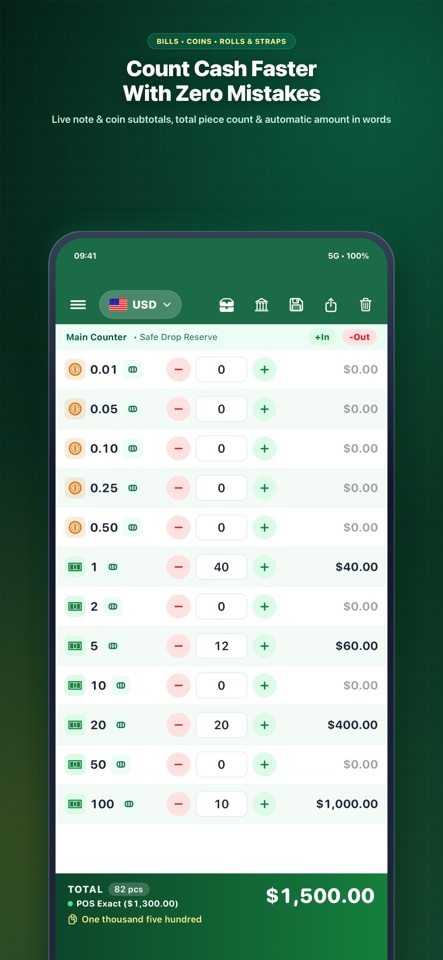
Instant banknote & coin subtotals as you enter counts
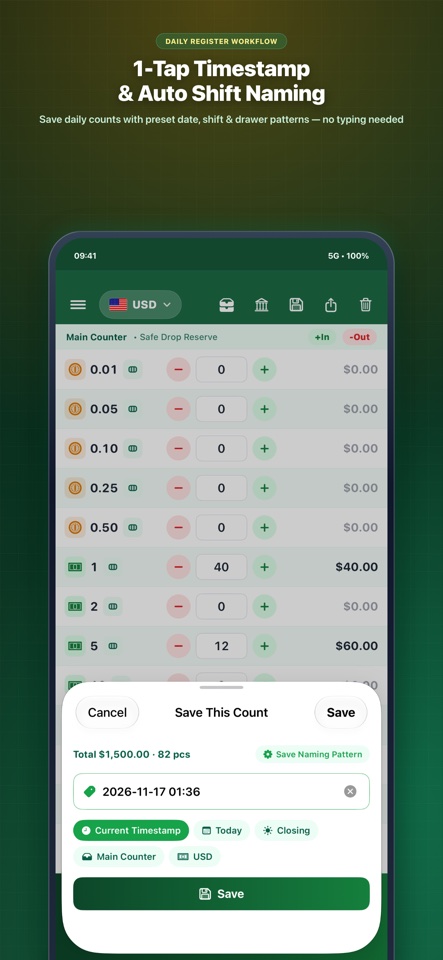
Save counts with instant timestamp & shift naming patterns
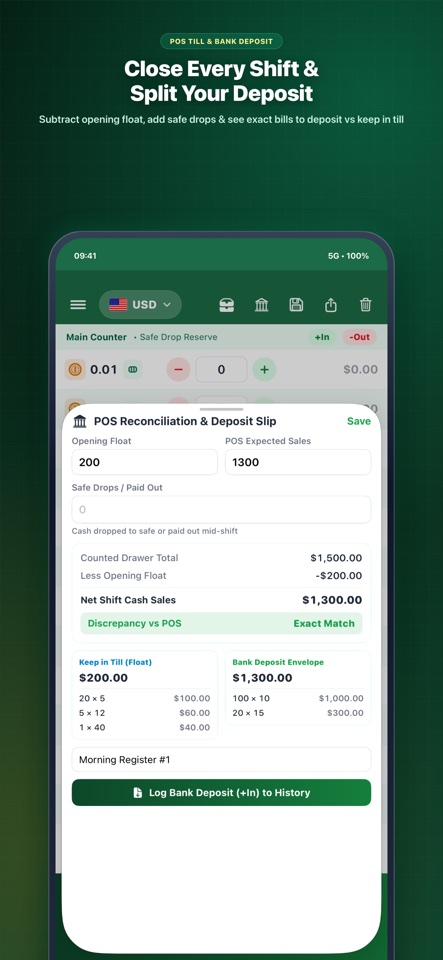
Deduct opening float, check POS sales & split bank deposits
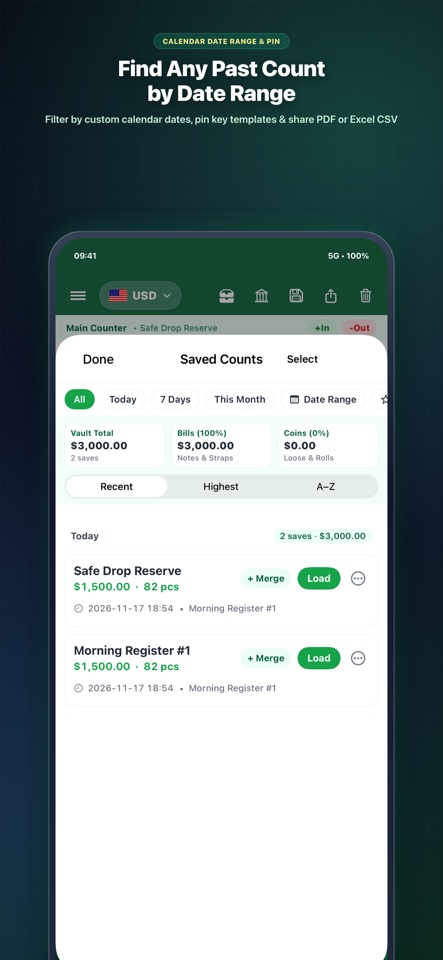
Pin templates & filter shift history across any calendar range
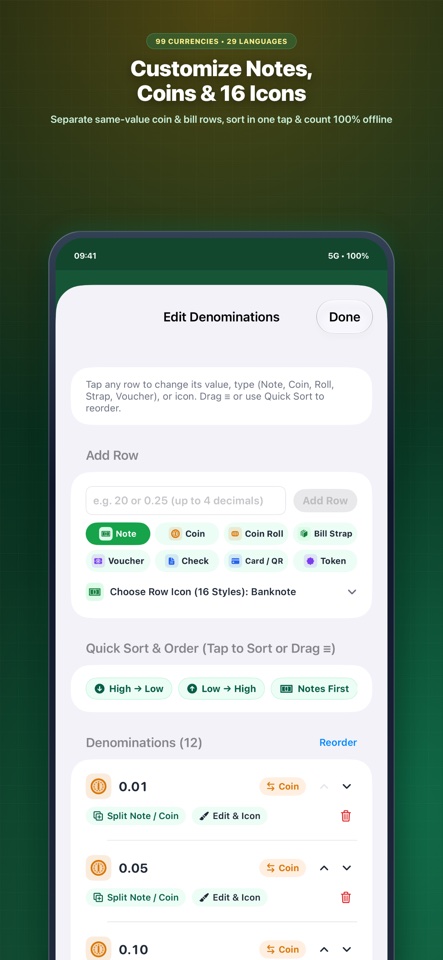
Add, sort, or separate same-value notes, coins & 16 row icons
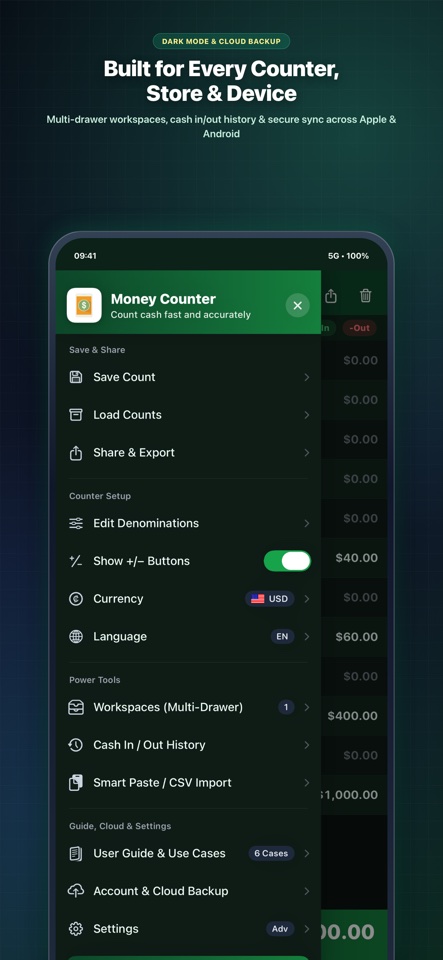
Manage Register 1, Register 2, share slips & cloud backup
Purpose-built to close cash drawers faster without monthly software bloat.
| Capability | Money Counter | Basic Phone Calculator | Paid POS Bloatware |
|---|---|---|---|
| Edit a single denomination row without recounting | Instant live row update | Must re-type entire sum | Hardware-locked |
| Automatic till float & physical bank deposit split | Keep-in-Till + Deposit list | Manual subtraction | Paid monthly tier |
| Daily shift history with calendar date-range filter | Unlimited local shift vault | Clears when closed | Cloud login required |
| 99 currencies offline, coin rolls & 58/80mm print | 100% offline + slip print | No bill/coin breakdown | Requires internet |
| Zero full-screen pop-up ads & free instant access | Zero pop-up interruptions | Varies by utility app | $29–$99+/mo contracts |
Need to count a drawer from your desktop browser right now? Pick your currency below.
 US Dollar ($)
 Thai Baht (฿)
 Euro (€)
 British Pound (£)
 Japanese Yen (¥)
 South Korean Won (₩)
 Canadian Dollar ($)
 Australian Dollar ($)
 Singapore Dollar ($)
 New Taiwan Dollar (NT$)
 Mexican Peso ($)
 Philippine Peso (₱)
 Vietnamese Dong (₫)
 Indian Rupee (₹)
 Malaysian Ringgit (RM)
 Indonesian Rupiah (Rp)
 Brazilian Real (R$)
+ All 99 Currencies in Web Workstation
 SCAN TO DOWNLOAD
Yes. All 99 currencies, 240 flag icons, saved shift counts, and POS calculations work 100% offline with no account required.
Never. Money Counter strictly forbids full-screen interstitial pop-up ads so your counting flow is never interrupted.
Yes. Both Cloud Backup (Google / Apple Sign-In) and local backup files work seamlessly across iOS and Android.
Yes. Open Edit Denominations to add, sort, rename, or separate same-value coins and banknotes with custom icons.